Your deck, from facts you confirmed
Fill your company brain to 100% and getfund lays out a 12-slide investor deck from it. Every figure traces to a fact you approved, and the deck has to pass our own scorer before we call it finished.
How it works
Four steps, and the first one is the only one that takes real work.
- 1
Bring your brain to 100%
The generator unlocks when every answer a deck needs is confirmed: problem, solution, market, model, traction, team, round and use of funds. A readiness bar shows what is missing.
- 2
Pick a style and colours
Choose one of three styles, then a ready palette or your own hex colours. Text colours are checked for contrast, and we suggest the nearest readable tone when one fails.
- 3
Seven controllers check it
A planner writes the slide plan, fixed templates draw it, and seven checks run before you see it. A slide that does not fit is shortened, never shrunk to unreadable.
- 4
Present it or send the PDF
You get a presenter you can open full screen and a PDF with selectable text. Edit any slide text and re-render as often as you like.
Three styles
The same 12-slide plan renders in each style. Colours change with your palette.
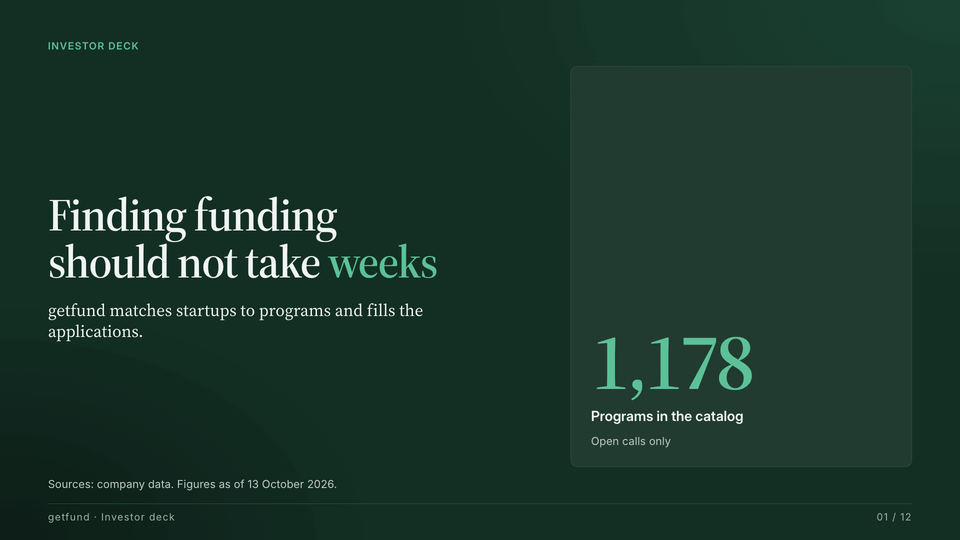
Sample render from fixture data; real decks use only your confirmed facts Editorial
Dark and light slides in turn, serif headlines and large metrics.
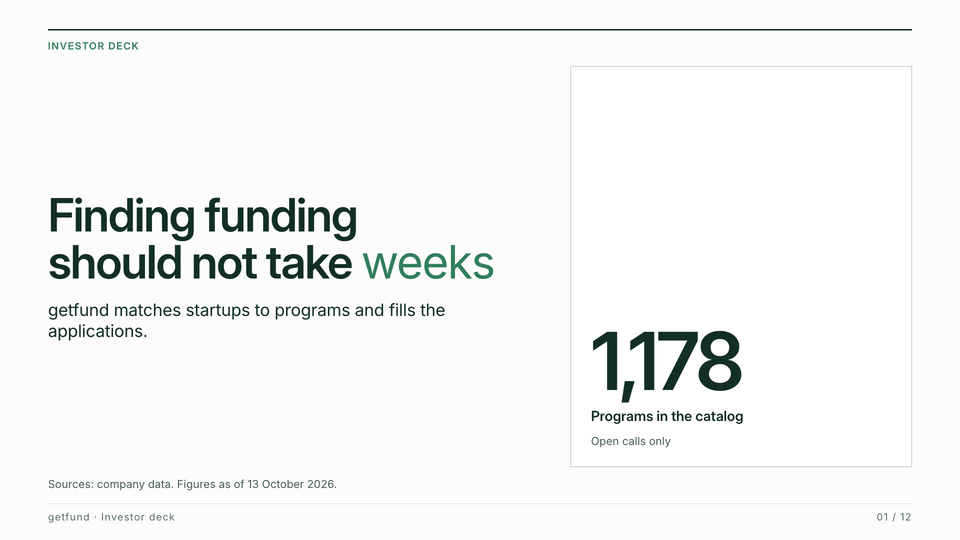
Sample render from fixture data; real decks use only your confirmed facts Paper
Light and typographic, with thin rules and a lot of white space.
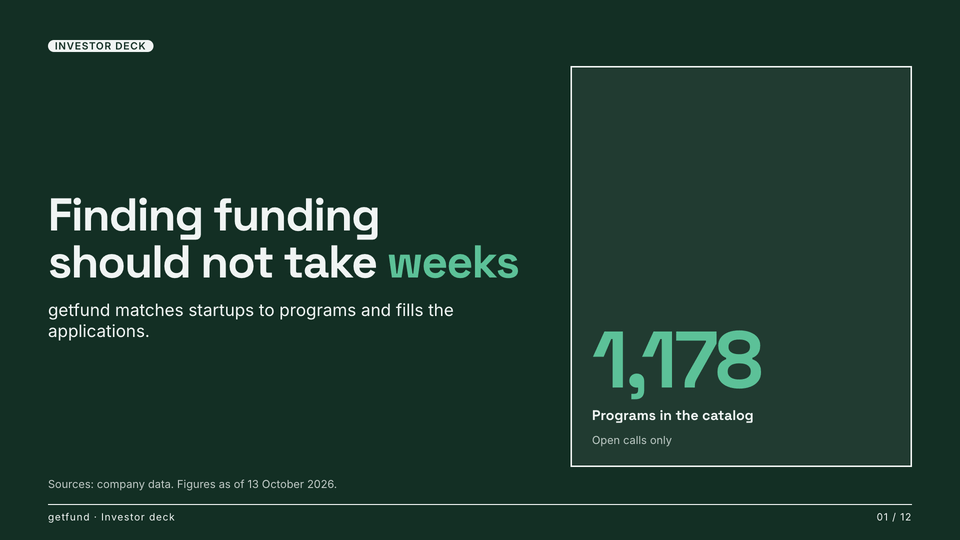
Sample render from fixture data; real decks use only your confirmed facts Signal
Bold type, thick rules and big numbers on dark and light pages; your colour marks the figures.
Seven controllers against AI slop
A language model never writes the slides directly. It writes a plan, and these checks decide whether the plan becomes a deck.
Number guard
Every figure on a slide maps to a fact you confirmed. A number without a fact is rejected.
Claim check
Every sentence names its source, either a confirmed answer or a confirmed fact.
Slop and repetition lexicon
Words such as leverage, revolutionary and seamless are flagged, and so is the same sentence appearing on two slides.
Narrative coverage
The deck must answer the questions an investor asks: problem, solution, why now, market, model, proof, distribution, team, round and next milestone.
Consistency
The same metric carries the same value and date on every slide.
Layout fit
Each slide is rendered and measured in a real browser. Text that overflows is shortened and rendered again.
The scorer gate
The finished deck goes through the public deck scorer. It must reach 75 or more, or it is delivered labelled as a draft with its score.
Included in Autopilot
3 decks a month on Autopilot
Autopilot includes 3 new decks a month. Editing slide text and re-rendering is free and does not use a deck. A new style, colour or content counts as a new deck.
See pricingNo stock photos, no invented data
The generator never adds stock photos, or charts and figures you did not confirm. Up to five generated scene photos set the mood on the cover, the problem slide and the closing slide. They show rooms, light and everyday objects, never screens, text or faces. Your product is shown only through your own screenshots or captures of your website.
Frequently asked questions
When can I generate a deck?
When your company brain is 100% ready for a deck. Every answer the deck needs must be filled and confirmed by you, and the readiness bar lists what is missing.
Can it invent numbers or claims?
The plan can only use facts and answers you confirmed. The number guard and the claim check reject a figure or sentence that does not trace back to one of them.
How many decks can I make?
Autopilot includes 3 new decks a month. Editing text and re-rendering does not count. A new style, colour or content counts as a new deck.
What do I get?
A 12-slide presenter you can open full screen and a PDF with selectable text. PowerPoint export is not available yet.
Why does it score its own deck?
A deck that cannot pass the same scorer we publish should not be called ready. It must reach 75 or more, or it is labelled a draft and shows its score.
Build your deck, or score the one you have
The scorer is free and needs no account. The generator needs a getfund account on the Autopilot plan.